Diese Anleitung ist für externe Benutzer, die sich an den entsprechenden CSinIT Systemen anmelden möchten (vorausgesetzt sie haben die entsprechenden Berechtigungen dazu). Je nach System funktioniert das leicht anders. Diese Anleitung verwendet als Beispiel das [Kasm System](https://kasm.csinit.de).
1. Öffnen des entsprechenden Systems im Browser deiner Wahl 2. Gehe auf den „**Keycloak**“ Button (heißt je nach System ggf. etwas anders): 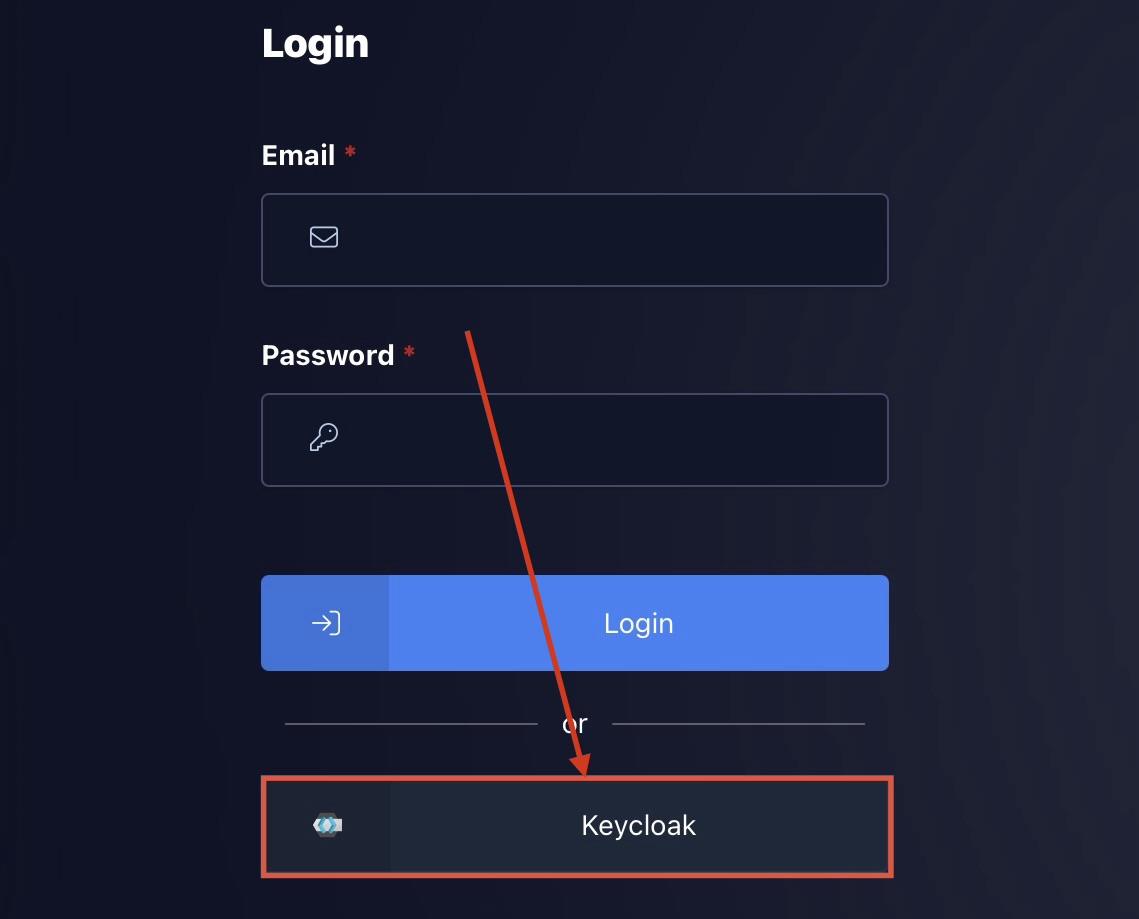 3. Anschließend den entsprechenden Identity Provider auswählen oder im Falle eines lokalen Keycloak Login Benutzername & Passwort eingeben: 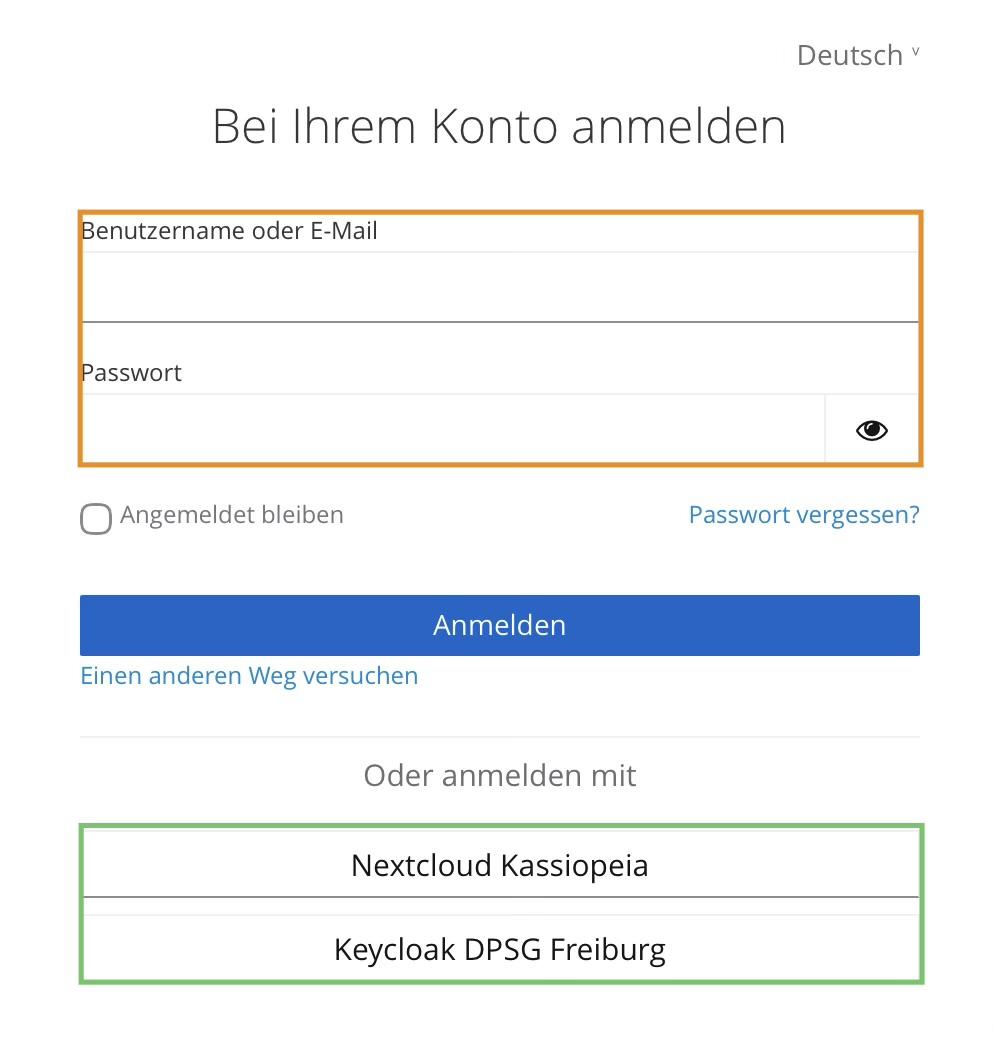 4. Ggf. Anmeldung mit dem Login deines Identity Providers (kann auch sein, dass du direkt angemeldet wirst) 5. Je nach Identity Provider oder System ist bei der ersten Anmeldung auch ein Consent erforderlich der mit „**Ja**“ beantwortet werden muss: 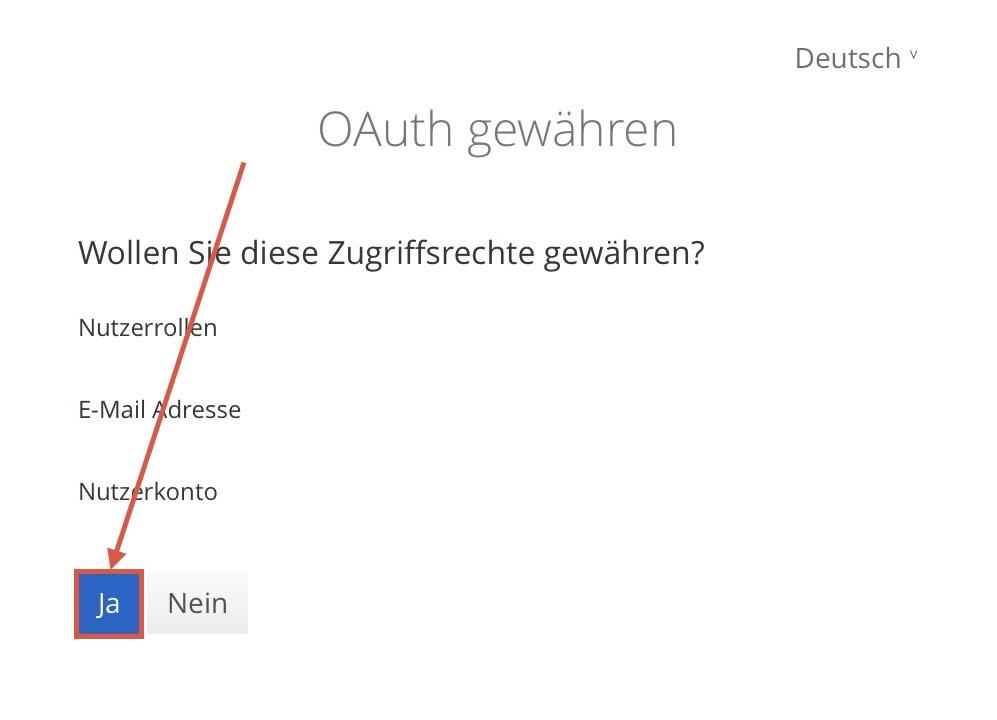 # WireGuard Client unter Windows starten ohne Admin-Rechte 1. Anmelden am Rechner als Admin 2. Computerverwaltung als Admin ausführen. Dann entsprechende Benutzer zur gruppe "Netzwerkkonfigurations-Operatoren" hinzufügen 3. Installieren des [Wireguard Clients](https://www.wireguard.com/install/) als Admin 4. Ausführen der Datei "[Wireguard.reg](https://wiki.csinit.de/attachments/1)" (Sicherheitwarnungen alle bestätigen) --- Quelle: [https://hilfe24.zendesk.com/hc/de/articles/11482493458322-WireGuard-starten-auch-ohne-Admin-Rechte-keine-Konfiguration-m%C3%B6glich](https://hilfe24.zendesk.com/hc/de/articles/11482493458322-WireGuard-starten-auch-ohne-Admin-Rechte-keine-Konfiguration-m%C3%B6glich) # Delete File from Git History 1. delete file in git repo 2. git commit -m 'commit message' 3. git push 4. run the following commands: 5. ``` git filter-branch --force --index-filter "git rm --cached --ignore-unmatch PATH-TO-FILE" --prune-empty -- --all ``` ``` git push origin --force --all ``` # Nützliche Links ### Allgemein: - [Crontab Checker](https://crontab.guru/) - [endoflife.date](https://endoflife.date) - [Microsoft 365 Licensing](https://m365maps.com) - [Microsoft Portals](https://msportals.io) - [RegEx Checker](https://regexr.com/) - [Virustotal](https://www.virustotal.com/gui/home/upload) ### Docker: - [Composerize](https://www.composerize.com) - [Docker Hub](https://hub.docker.com) # Softwaresammlung (Auswahl)| **Tool** | **Anwendungsgebiet** | **Anmerkungen** |
| [Antragsgrün](https://antragsgruen.de) | Antragstool | |
| [Bookstack](https://www.bookstackapp.com/) | Wiki | |
| [Gitea](https://about.gitea.com/) | Git | |
| [Keycloak](https://www.keycloak.org/) | Identity Provider | |
| [Limesurvey](https://www.limesurvey.org/de) | Umfragetool | |
| [Mailman](https://list.org) | Mailinglisten Tool | |
| [Nextcloud](https://nextcloud.com/) | Cloud | |
| [OpenSildes](https://openslides.com/) | Versammlungstool | |
| [Portainer](https://www.portainer.io/) | Containerverwaltung | |
| [Pretix](https://pretix.eu/about/de) | Anmeldetool | |
| [Uptime-Kuma](https://github.com/louislam/uptime-kuma) | Monitoring | |
| [Vaulwarden](https://github.com/dani-garcia/vaultwarden) | PW-Manager | |
| [WireGuard Easy](https://github.com/wg-easy/wg-easy) | VPN-Server |